
Mobile App - Contractor Job Workflow Optimisation
PropTech B2B Platform, Hardware Installation App for Trade Contractors
Role
Product Manager & UX Designer
Timeline
2 sprints (4 weeks)
Team
Software Development Manager, Business Analyst, QA Manager, QA Engineers, Engineers
Collaboration
Cross-functional team and senior management
Constraints
- Native mobile platform limitations (iOS/Android version support)
- Limited engineering capacity with competing priorities and availability constraints
- No established design system - required building and refactoring components
- Fixed 4-week delivery deadline
Problem
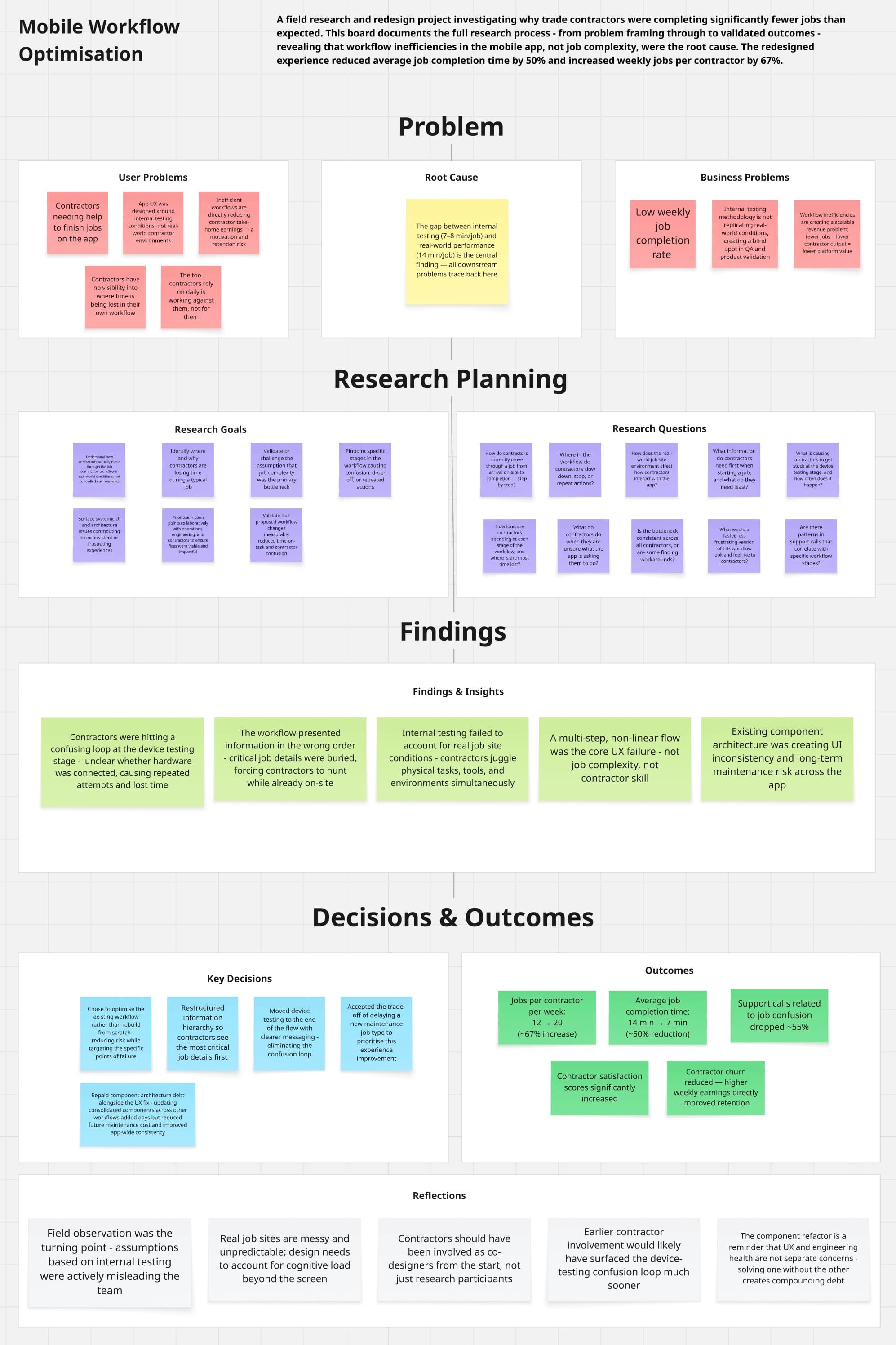
Trade contractors were completing only 12 jobs per week - significantly below expectations and directly impacting their earnings. Our initial assumption was that job complexity was the issue. However, user research and data analysis revealed the actual bottleneck: workflow inefficiencies in the mobile app were causing contractors to take 14 minutes per job instead of the 7-8 minutes we'd observed in internal testing.
Process
This project followed a double diamond approach — diverging to understand the real problem before converging on a definition, then diverging again through ideation and prototyping before converging on a validated solution for delivery.
- Reviewed product analytics from Microsoft Clarity to understand user behaviour of how contractors were completing jobs (Understand)
- Conducted interview sessions with 8 contractors to understand and observe actual workflows (Understand)
- Identified pain points through journey mapping and time-on-task analysis (Understand)
- Discovered that contractors were getting confused and stuck in a loop at key stages of the workflow to test if the hardware was connected to the system (Understand)
- Led cross-functional problem framing workshops with operations, engineering, and contractor representatives to prioritise friction points, align on problem statements, and define success metrics (Define)
- Applied systems thinking to identify opportunities beyond the immediate workflow problem - recognised that the existing component architecture was creating maintenance debt and inconsistent UI patterns (Decide)
- Created high-fidelity prototypes focused on improving the workflow and moving the testing of devices to the end with clearer messaging (Design)
- Worked with engineering to refactor core UI components using a more scalable design system approach, reducing future code maintenance costs while solving the workflow issues (Design)
- Conducted follow-up interviews with contractors 4 weeks after launch to validate improvements and gather feedback (Validate)
- Held team retrospective to reflect on what went well, what could be improved, and key learnings to apply to future projects (Reflect)
User Research Details
Sample Size
8 contractors
Geographic Coverage
NSW, QLD, VIC, and SA
Participant Composition
Mix of existing contractors (12+ months experience with the app) and newly onboarded contractors
Purpose
To understand diverse user perspectives across experience levels and geographic locations
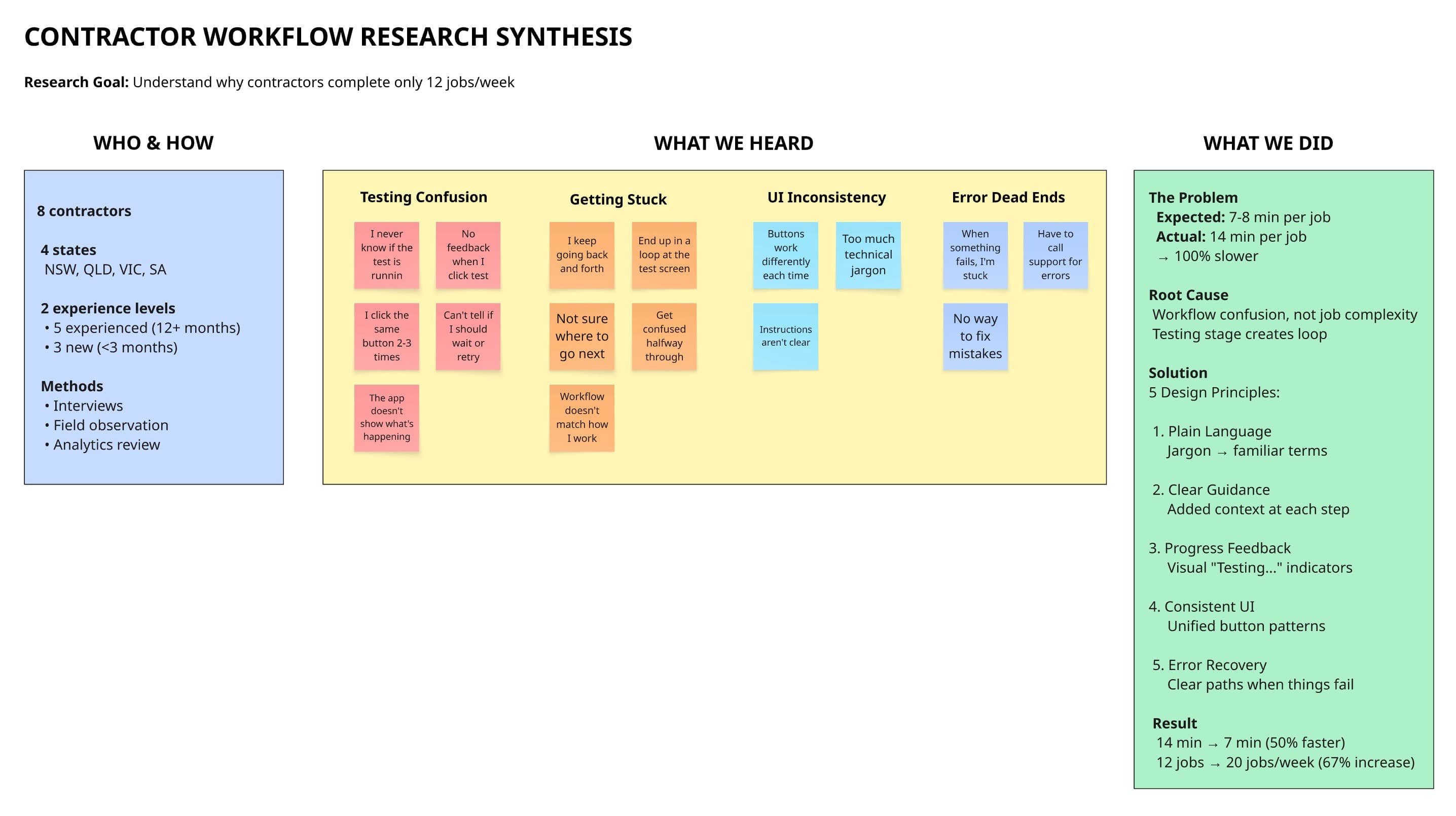
Research synthesis from 8 contractor interviews revealing workflow confusion as the root cause, not job complexity
Stakeholder Management
I presented research findings to senior management using the UX research Miro board to demonstrate user pain points, followed by an interactive Figma prototype showing the proposed solution. Senior management was initially hesitant about including UI component refactoring due to the additional time required. I advocated for the refactoring by demonstrating how it would reduce future code maintenance costs and ensure UI consistency across the app. After presenting the long-term benefits and technical debt reduction, I successfully gained their agreement to include the refactoring work in the project scope.
Key Decision
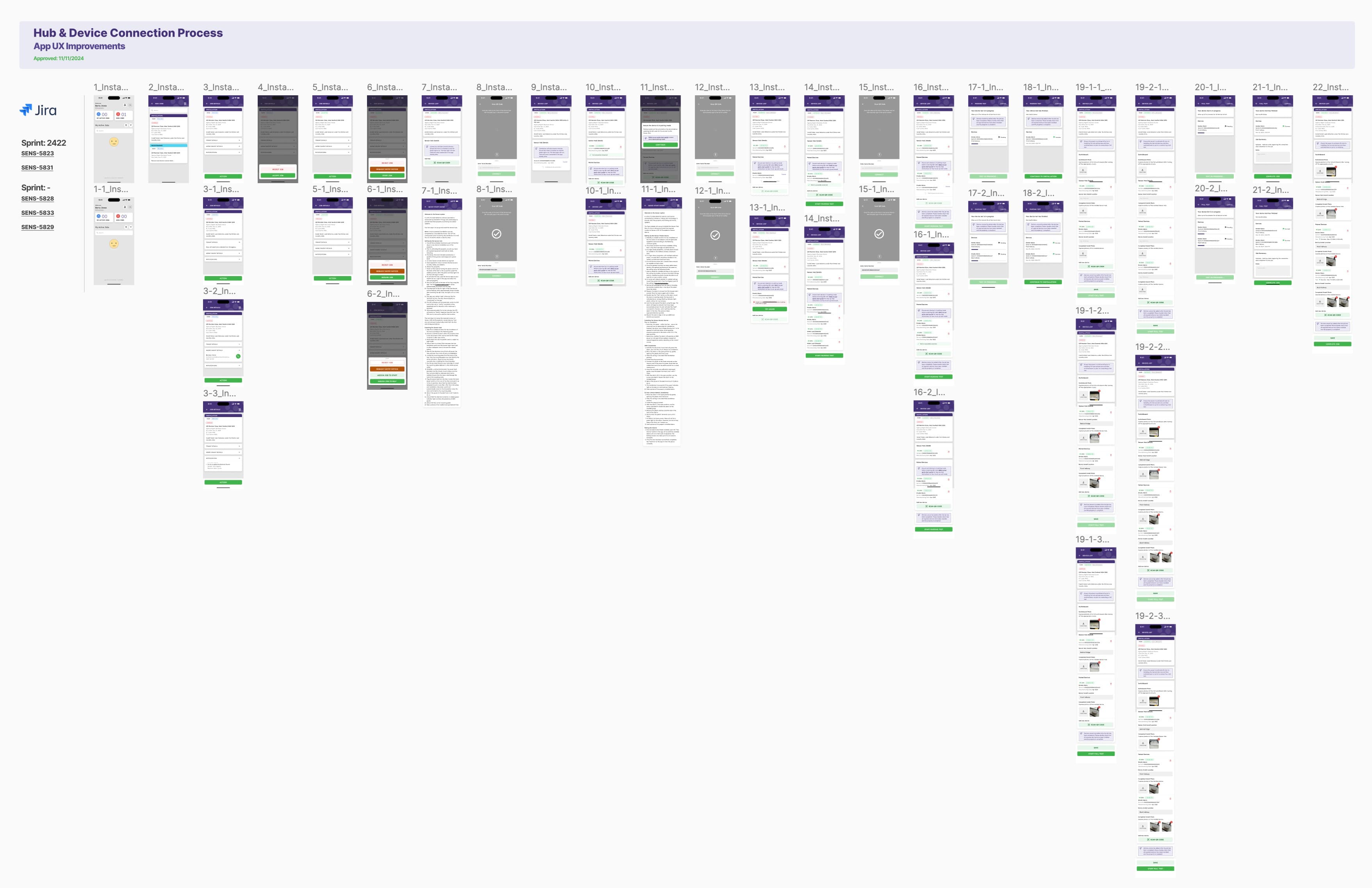
The critical decision was whether to completely redesign the job execution flow or optimise the existing multi-step workflow. We chose the latter - improving information heirarchy so the contractor is given the most important job information first, and completion steps to test the installed devices into a single, linear mobile-first experience. This required significant backend changes to revise parts of the workflow, but testing showed contractors could complete the same job up to 50% faster. The primary trade-off was prioritising this experience improvement over adding a new maintenance job type. Additionally, refactoring the component architecture meant other workflows in the app would need to be updated to use the new consolidated components - adding several extra days of work. We accepted this technical debt repayment as it would reduce future maintenance costs and ensure consistency across the app.
Design Specifics
Plain Language
Replaced industry jargon with easy-to-understand generic wording that contractors would be familiar with
Contextual Guidance
Added short descriptions at key workflow stages to provide context about what needed to be done
Design System Consistency
Updated button colours to consistent primary and secondary patterns to make actions predictable across the app
Progress Feedback
Added visual feedback indicators so contractors understood exactly where they were in the workflow
Error Prevention & Recovery
Implemented error handling with clear recovery paths, eliminating dead ends in the workflow
Design Solution Example
One of the key workflow improvements was adding clear visual feedback when contractors were testing hardware devices. Previously, contractors were unsure if the test was running, leading to confusion and repeated attempts. The revised screen now shows an active "Testing" state with clear messaging that the test is in progress.
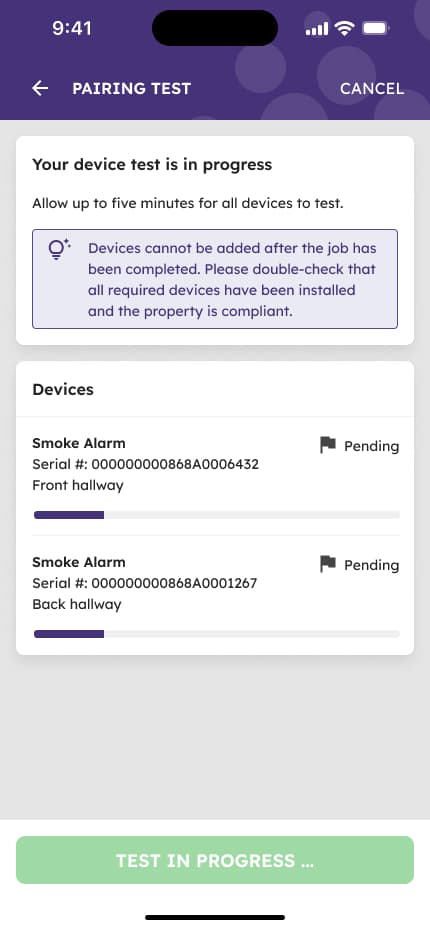
Revised screen showing clear feedback when a device pairing test is in progress
Outcomes
Measured 4 weeks post-launchJobs completed per week
12 to 20 (67% improvement)Tracked through operational reports compiled from job management system
Job completion time
14 to 7 minutes (50% reduction)Measured via in-app timestamp tracking from job start to completion
Contractor satisfaction
Significantly increasedGathered through direct interviews and feedback sessions with contractors
Support calls for job confusion
55% decreaseTracked through support ticket categorization and volume analysis
Contractor retention
ImprovedHigher earnings from increased job completion reduced contractor churn
Reflection
The key learning was the importance of field observation and talking with customers over assumptions. Our internal testing didn't account for the messy reality of job sites - with contractors having to juggle so many things at once. The workflow was confusing and slowing them down. If I were to approach this again and had been involved at the start of the project, I would have involved contractors much earlier in the design process, potentially as co-designers.
Tools
Note: This case study focuses on demonstrating my thinking, process, and decision-making approach. While the actual product designs and implementations remain proprietary, the emphasis here is on how I frame problems, conduct research, make strategic decisions, and measure success.